Fridge.Menu vs. AnyList: which one fits you?
AnyList's App Store listing centers on the shopping list, with recipe saving and meal planning included. Fridge.Menu starts from the recipe and pantry. Here's what each app's own listing and a reviewer say, dated and sourced.
Who AnyList suits
AnyList's App Store listing (checked September 27, 2026) offers a free tier with in-app purchases — $9.99/year individually or $14.99/year for a household — and describes "Import in a Snap: Save recipes directly from your favorite blogs and websites," sharing a grocery list "with your partner or roommates," and "Assign recipes to days on the meal planning calendar."
AnyList's strengths
AnyList's listing shows about a 4.9-star average across roughly 80,500 ratings (checked September 27, 2026), and its household list sharing is praised by at least one reviewer: "Family sharing is my favorite feature- we can share lists and calendar with each other." (App Store review, September 19, 2026.)
Worth knowing
AnyList's own listing describes importing recipes from blogs and websites; importing from a photo, pasted text or a video is not listed on its App Store page (checked September 27, 2026). Its barcode scanner is for adding items to the shopping list, not for a pantry: "AnyList v5.29 adds support for barcode scanning! Quickly add items to your list, just by scanning the product's barcode." A pantry or expiry-tracking feature is not listed on its App Store page (checked September 27, 2026) — its stated focus is the shopping list and meal planning calendar.
AnyList vs. Fridge.Menu, on checkable criteria
| AnyList | Fridge.Menu | |
|---|---|---|
| Price | Free, with in-app purchases: "AnyList Complete subscription unlocks advanced features," $9.99/yr individual or $14.99/yr household | Free, 10 AI credits included |
| Recipe import | From blogs and websites, per its listing: "Save recipes directly from your favorite blogs and websites" | Link, photo, pasted text or video |
| Shopping list | Yes, per its listing and its own name/branding | Yes, fills itself from what's missing |
| Household/family sharing | Yes, per its listing; praised by one reviewer (Sep 19, 2026) | Yes |
| Meal planning calendar | Yes, per its listing: "Assign recipes to days on the meal planning calendar" | Yes, a week of meals from what you have |
| Barcode scanner | Yes — for adding items to the shopping list, per its listing | Yes — for adding items to the pantry |
| Pantry / expiry tracking | Not listed on its App Store page (checked September 27, 2026) | Yes |
| Hands-free cooking mode | Not listed on its App Store page (checked September 27, 2026) | Yes, step-by-step with voice commands built into the phone |
| AI assistant | Not listed on its App Store page (checked September 27, 2026) | Yes |
AnyList's features per its App Store listing, checked September 27, 2026. Fridge.Menu's per its own App Store listing.
What Fridge.Menu offers
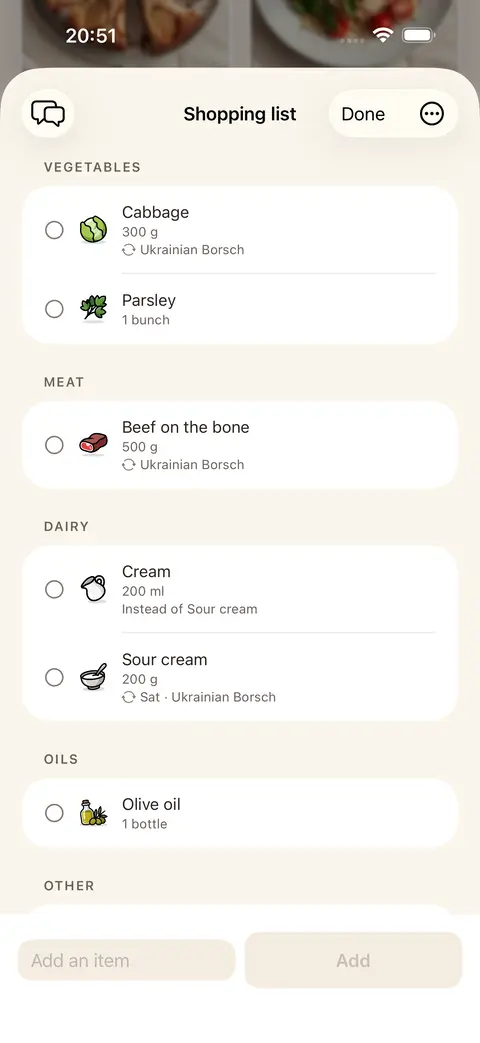
Fridge.Menu imports recipes from a link, a photo, pasted text or a video, adds a pantry with barcode scanning and expiry reminders, and fills the shopping list from what a recipe is missing. It adds a step-by-step, hands-free cooking mode and an AI assistant, and is free with 10 AI credits to start.
How it works
- Import a recipe from a link, a photo, text or a video
- Add what's already in your pantry by scanning a barcode
- Let the shopping list fill itself from what a recipe is missing
FAQ
Can AnyList import recipes from a photo or video?
Its listing describes importing from blogs and websites; photo, text or video import is not listed on its App Store page (checked September 27, 2026).
Does AnyList have a pantry with barcode scanning?
Its barcode scanner adds items to the shopping list, per its listing; a pantry or expiry-tracking feature is not listed on its App Store page (checked September 27, 2026).
Can I bring an AnyList recipe into Fridge.Menu?
You can import it by pasting its original link, or by photo or text, the same way you'd add any recipe to Fridge.Menu.
Is Fridge.Menu free?
Yes, with 10 free AI credits to start; no account is required to begin.