How to Save a Recipe from Instagram or TikTok in Fridge.Menu
Spotted a tasty recipe in a video? Share it with Fridge.Menu and let AI pick out the dish name, ingredients and cooking steps for you.
How AI processes recipes from videos
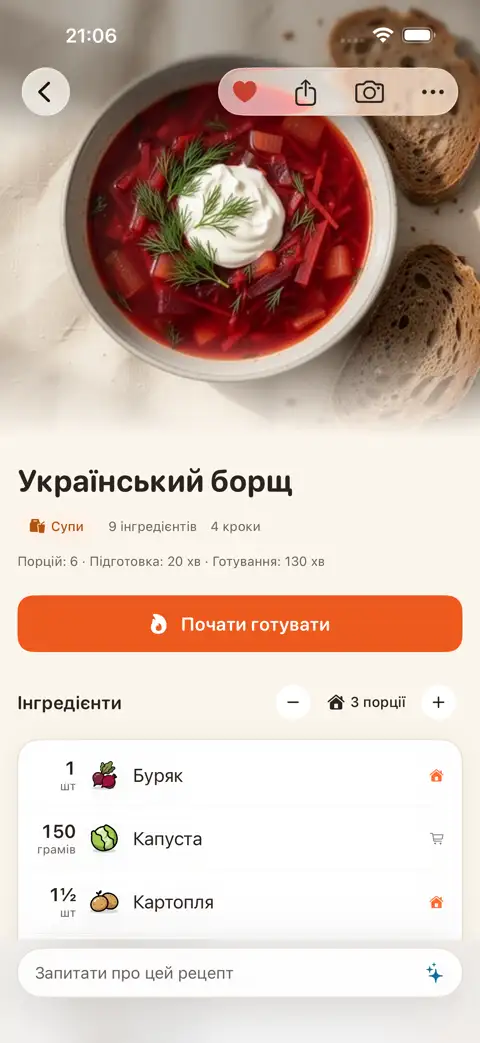
Fridge.Menu accepts links, photos of a cookbook page or handwritten recipe, plain text, and cooking videos. You can send videos straight from Instagram or TikTok via the "Share" menu. AI pulls out the dish name, ingredients and cooking steps, and even adds a short description of the dish.
What you already have at home and what to buy
Once a recipe is saved, you instantly see what's missing and what's already in your pantry (even if it's canned or frozen). Missing ingredients are added to your shopping list with a single tap. Anything you already have stays off the list.
Steps
- Open the recipe video on Instagram or TikTok and tap the "Share" button.
- Choose Fridge.Menu. You can also pin the app to your Favourites in the "Share" menu so it's always within reach.
- AI automatically pulls out the dish name, the ingredients you need and the cooking steps.
FAQ
Do I need to sign up to save recipes from videos?
No, sign-up isn't required. Signing in with Apple is only used to sync data across your devices.
Which other apps can I share recipes from?
Besides Instagram and TikTok, you can share recipes from Telegram or Safari, or simply add a link, text, or a photo of a handwritten recipe.
Is saving recipes with AI free?
Fridge.Menu itself is completely free and available on the App Store for iPhone. AI features, like extracting a recipe from a video, use credits. You start with 10 free credits every week.