A shopping list that fills itself in
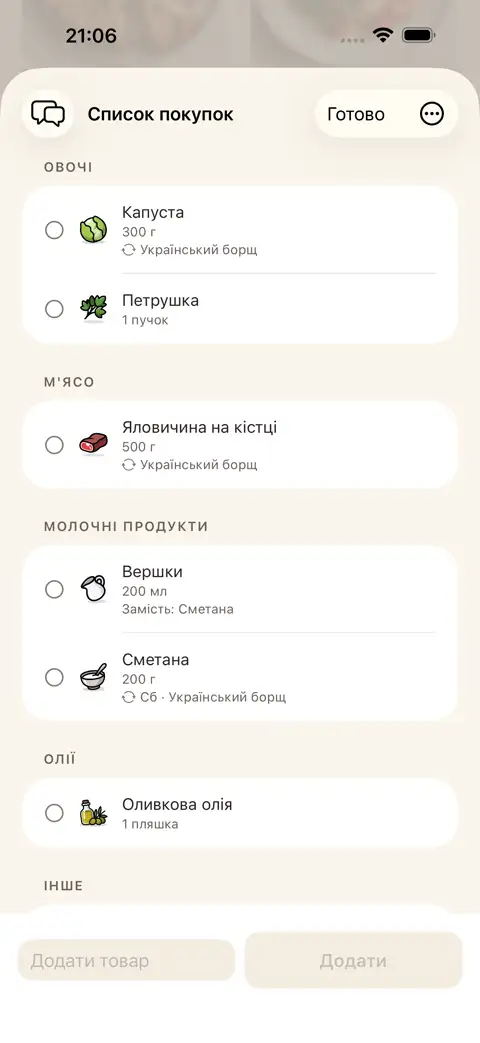
Add what's missing for a recipe to your list in one tap. Anything already at home stays off it.
How it works in practice
Add what you have at home to the app's pantry. Recipes instantly show what's missing, and what you already have but tucked away canned or frozen. Add anything missing to your shopping list in one tap. Everything needed for your weekly plan lands on the list automatically too.
One shared list for the whole family
One pantry, one list, one plan for the whole family. In-store, shared mode shows who's already grabbed what, and you can ask @fridge right in the chat. Invite family with a QR code or just by tapping phones together.
Steps
- Add items to your pantry by typing or scanning a barcode
- Open a recipe — the app shows which ingredients you're missing
- Move what you need to your list in one tap. In-store, shared mode shows who's already grabbed what
FAQ
Does the shopping list fill in automatically?
Everything needed for your weekly plan lands on the list right away. What's missing for a single recipe can be added in one tap. Items you already have at home aren't duplicated.
Can I keep a shared shopping list with my family?
Yes — your family shares one shopping list, one pantry and one weekly plan. Invite family with a QR code or just by tapping phones together.
How do we know who's already grabbed what in-store?
In shared mode, the shopping list shows which family member has already picked up each item.