The app that saves recipes from any source
A link, a photo of a cookbook page or a handwritten recipe, or plain text — Fridge.Menu turns it into a recipe with a title, ingredients and steps.
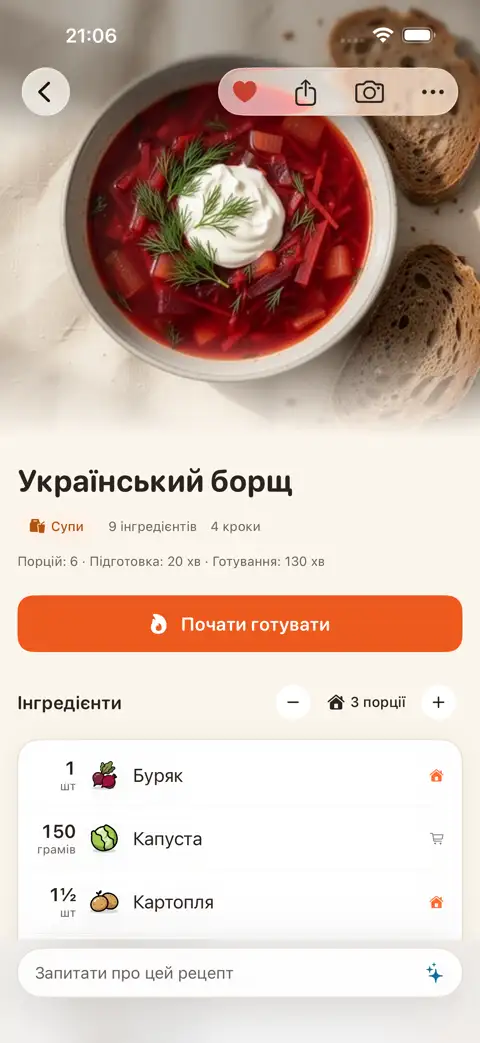
Three ways to add a recipe
Share a link from Safari, Instagram, TikTok or Telegram — you can pin Fridge.Menu to your Favourites in the Share menu for quick access. You can also add a photo of a cookbook page or a handwritten recipe, or simply paste in text. AI extracts the title, ingredients and steps, and adds a short description of the dish.
Your pantry knows what's already at home
Add items by typing or scanning a barcode, and the app tracks what's about to go off and reminds you in time. Recipes show what you're missing and what you already have, including canned or frozen items.
Steps
- Add a recipe from a link, a photo of a cookbook page or a handwritten recipe, or plain text
- AI recognises the title, ingredients and steps, and adds a short description of the dish
- Cook in step-by-step mode with lock-screen timers and voice commands
FAQ
Do I need to sign up to save recipes?
No, sign-up isn't required. Sign in with Apple is only needed for syncing across devices.
What recipe sources does Fridge.Menu support?
You can add a link, a photo of a cookbook page or a handwritten recipe, plain text, or a cooking video. Share recipes straight from Safari, Instagram, TikTok or Telegram.
How much does the app cost?
Fridge.Menu is free and available on iPhone in the App Store. AI features use credits — to start, you get 10 free credits every week.